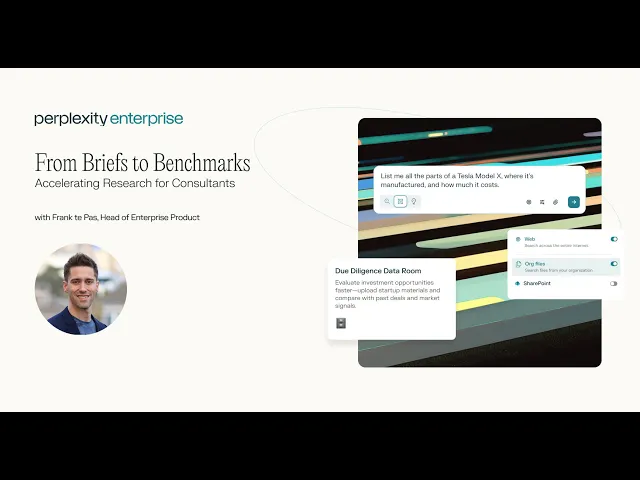
Accelerated Research for Consultants
See a live demo of how consultants use Perplexity to accelerate research
Webinar FAQs
Head of Enterprise Product at Perplexity and former Senior Strategy Manager at Accenture, Frank te Pas, demonstrates how Consultants can use Perplexity to accelerate research, scale repetitive work, and manage stake holders.
File Management
Can you use private document repositories to help create proposals/communications based on existing templates in a space?
Yes, Spaces is where you can attach your own file repositories (SharePoint, OneDrive, Box, Dropbox, Google Drive) and create proposals by including a template outline in the custom instructions.
What are the file limits and sizes of files I can upload into Perplexity Spaces?
You can upload files up to 50MB each, with a daily limit of 500 files and a personal repository cap of 5,000 files for Enterprise Pro (10,000 for Enterprise Max). Spaces can hold up to 500 files (Pro) or 5,000 files (Max), each up to 50MB.
Can Perplexity read PDFs and Google Docs with screenshots?
Yes, Perplexity can read PDFs and Google Docs with screenshots, which you can upload via the paperclip icon.
Asset Generation
Can you convert to .pptx or .docx file output?
Yes, you can export queries to .docx format, and Labs queries that generate slides can be exported to .pptx.
Can you create videos in Perplexity?
Yes, you can generate videos by typing prompts like "Generate a video of a scenic landscape" into the search bar. The AI generates an 8-second video with audio narration in about 1-2 minutes, which you can share, download, or regenerate.
App Connectors
Can Spaces connect to multiple email and calendar accounts (Outlook and Gmail)?
Perplexity supports connectors to Outlook (calendar and mailbox) and Gmail. Currently, you can enable one account account at a time; for multiple accounts, the recommendation is to move files or attach via local files.
Is there a direct integration with Fireflies or Fathom for meeting transcripts?
There's no direct integration yet, but you can save meeting notes to a Google Drive folder and have Perplexity continuously sync to that folder.
What are all of Perplexity's app connectors?
Perplexity supports connectors to Gmail, Outlook, Sharepoint, Google Drive, Box, Dropbox, OneDrive, Notion, Github, Linear, and Slack.
Can I use my own documents for prompts and RAG?
Yes, you can upload your own documents and use them as sources in one query or in a Space to constantly query against them.
Collaboration in Perplexity Enterprise
Can you invite external parties to collaborate in a Space?
Yes you can. If you want to restrict to only have people within your organization to view the Space or not have the Space be shareable at all, you can adjust in Settings > Permissions
Can you create Tasks in Spaces?
Yes, Tasks in spaces will be released shortly
Security and Privacy
Is my data used for training if I'm on Enterprise Pro/Max?
Enterprise Pro/Max guarantees your data will not be trained on models. For Pro/Max individual users, you can opt out of training data in your Settings.
Does Perplexity have SOC 2 Type II certification?
Yes, Perplexity has SOC 2 Type II certification, which ensures robust policies around data security, confidentiality, and integrity. For more information, visit our Trust portal.
Email and Calendar Assistant
Is the email assistant available on all subscription levels?
The email assistant is only available on the highest subscription level (Enterprise Max).
Can I CC the email assistant in emails?
Yes, you can CC the email assistant in emails, and it integrates with Google Calendar and Outlook calendar scheduling.
Pricing
I currently am on the Pro version - is there a migration path so I don't lose my money since I prepaid?
When transitioning from Pro or Max to Enterprise, your previous subscription is automatically canceled, and any remaining prepaid time or balance is converted into a credit that's deducted from your initial Enterprise invoice.
If I upgrade from Pro to Enterprise, do all my Threads and Spaces remain accessible?
Yes, all Threads and Spaces from your personal account remain accessible and can be brought into your Enterprise account.