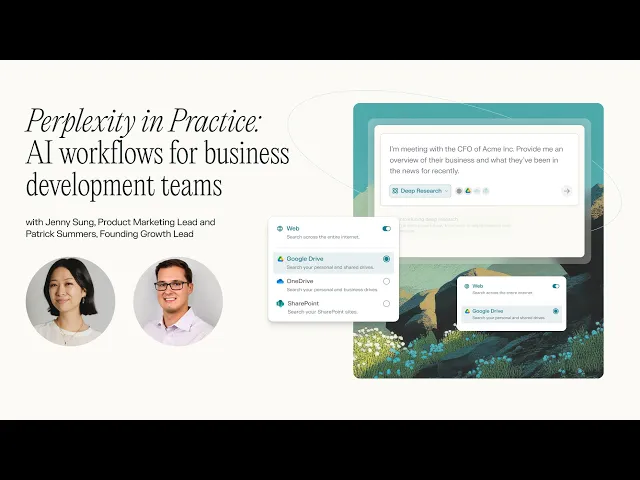
AI workflows for Business Development Teams
Perplexity's founding Growth Lead, Patrick Summers, shares how Perplexity can be your dedicated research analyst to conduct prospecting research, fill out RFPs, and more.
Webinar FAQs
Business Development Use Cases:
Can an RFP space produce an output from an external prospect input?
Yes, here's how you attach a file to a Space and you can give it instructions on what you want the output to look like..
Is Perplexity more of a tool for research, collection, research, analysis and presentation data, or does it also have tools to assist with outreach, building a sales pipeline, discovery of sales opportunities, top sales targets?
Yes, it can do all of the above. You can write queries to do all of those specific tasks.
Can you conduct prospect research for an entire sector or just a single company?
You can research both the sector and a company – it just depends on how you provide instructions to the space.
Does Perplexity currently have the feature of showing any of the research numbers in a graph mode, which can be used internally as presentation?
Yes, Perplexity can generate graphs which you can export/copy.
Search Capabilities:
Can I query in one chat and it'll pull from another chat? E.g. existing queries/answers across my Perplexity threads are a data source too.
Yes if you are already in that thread, you can reference a previous answer. Alternatively, you can export the answer and then attach it as a source to the new query.
Can you specify how many resources you want Deep Research to source?
Yes, you can state in your query how broad you would like the range of sources to be.
What type of files can you upload to Perplexity?
We can work with the following file formats:
Textual and Document Files; PDF; Microsoft Word (DOCX); Microsoft Excel (XLSX); Microsoft PowerPoint (PPTX); CSV; Plain text (TXT); Markdown (MD); JSON; Google Docs, Sheets, and Slides (via File App Connectors); Images; PNG; JPEG/JPG; GIF
Do I need a Perplexity Enterprise Pro subscription to access app connectors and data integrations?
Yes, a Perplexity Enterprise Pro subscription is needed to access data integrations like Crunchbase and FactSet and app connectors like Google Drive, SharePoint, and OneDrive.
In Spaces, can you source from other systems like Salesforce? And specifically, custom environments unique to your own organization?
We currently don't connect to Salesforce but you could upload a report from Salesforce for Perpleixty to source its answers from.
What are the key differences between Perplexity Enterprise Pro and Perplexity Pro?
Perplexity Enterprise Pro offers:
Unlimited collaborators in Spaces
Access to App Connectors like Google Drive, SharePoint, OneDrive, Box, and Dropbox. There are many more app connectors on the roadmap.
Access to proprietary data integrations like Crunchbase and FactSet.
Additional security measures like:
User permissioning to control file upload and download privileges, manage team invitation privileges, and customize sharing options for Threads, Pages, and Spaces
Single sign-on integration
Zero training on any Enterprise data
Spaces and Collaboration:
Can spaces be shared outside of an organization?
Yes, Spaces can be shared publicly, within your organization, or kept private for your own use. However, admins have the ability to disable public sharing if they prefer to keep all Spaces internal.
Can you collaborate in Spaces?
Yes, you can add Teammates in spaces to collaborate on the type of information you're querying.
What are the file limits and sizes of the files I can upload into Perplexity Spaces?
You can upload up to. 50 files per space natively and 5,000 files via a File App Connector. You can also upload 5,000 files per user across Perplexity’s org repository. The file max should be 25MB per file.
Can you connect Spaces to talk to each other or orchestrate insights across multiple Spaces?
Currently, Spaces are independent containers for organizing threads and files. There is no built-in orchestration feature to automatically combine insights from multiple Spaces. However, you can manually export content from one Space and add it to another or use queries referencing multiple Spaces for analysis.
Security and Data Privacy:
How can Perplexity help me answer my IT concerns regarding data security?
You can view our security practices here: https://www.perplexity.ai/hub/security
How does Perplexity handle data privacy for uploaded files in Spaces? How long is data retained?
Files uploaded to Perplexity are retained for 30 days to allow for follow-up queries, after which they are automatically deleted. Uploaded files are private to the user or organization unless explicitly shared. Perplexity does not use user-uploaded files to train its models, and files are not accessible to others unless shared in a collaborative Space
What does incognito mode offer?
Incognito mode offers the ability to have zero retention on your search and files that you attach to each query.